Manual 3 · Chapter 10
Bin locations, putting away and replenishing
Blocking a bin location (for example after damage)#
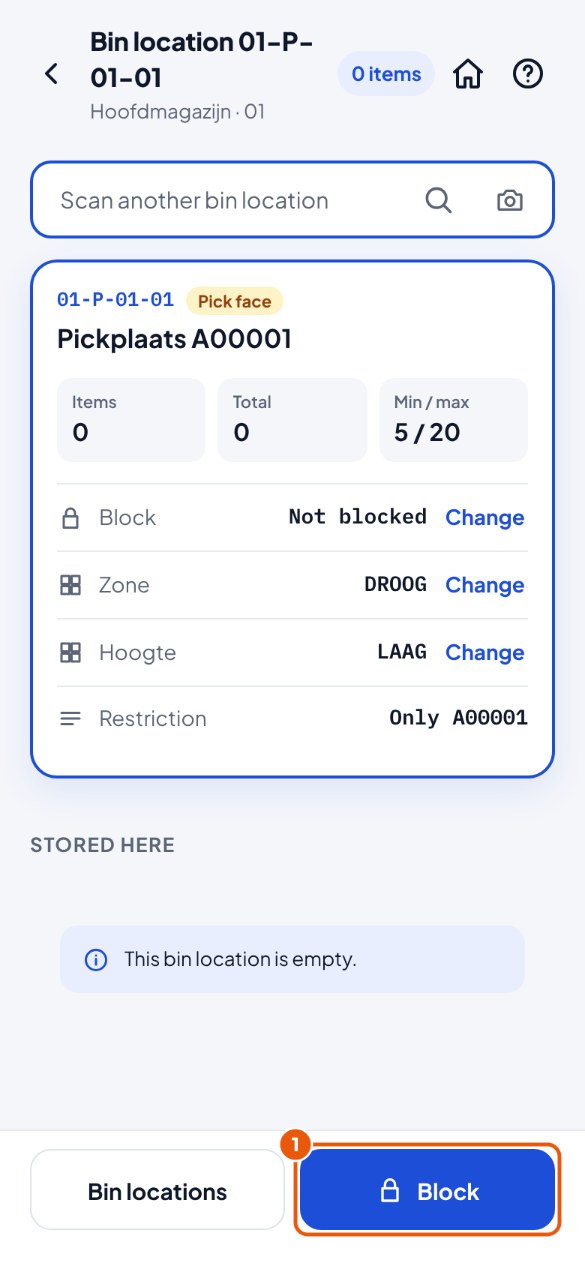
- Tap the Bin locations tile, scan the bin location and tap Block 1.
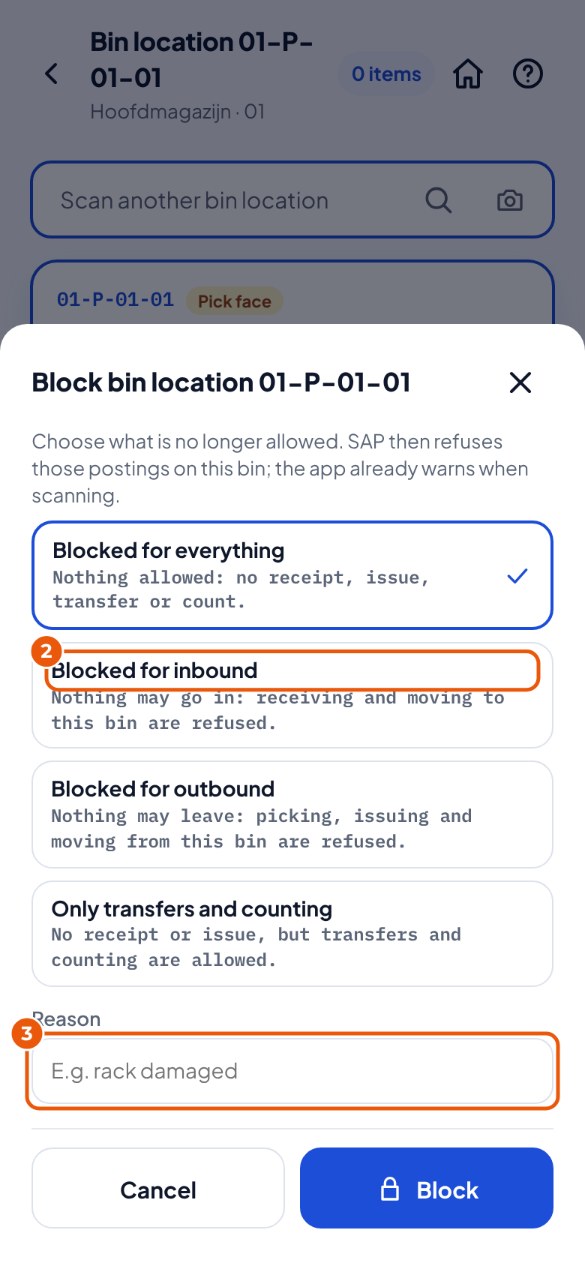
- Choose what is no longer allowed 2, for example "Blocked for inbound".
- Type a reason 3 (for example "rack damaged") and tap Block. Fine again? Tap Release.
Putting away and replenishing#
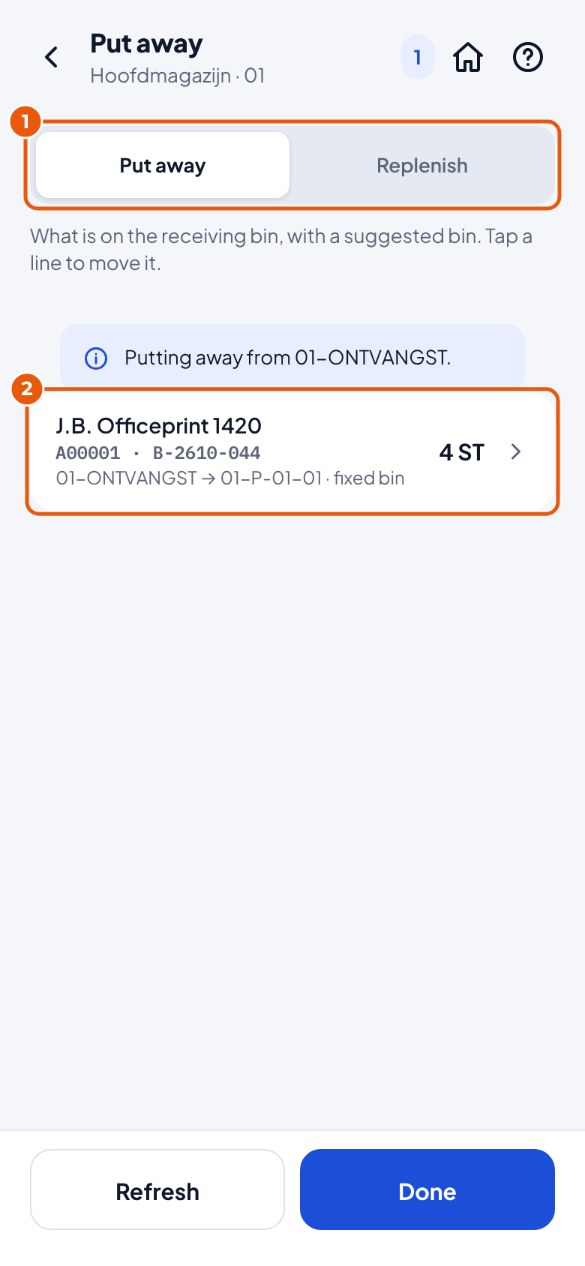
- Tap Transfer → Put away (what is on the receiving bin) or Replenish (pick faces below the minimum) 1.
- Tap a line 2. The move screen is ready and says "Suggestion: put it on …".
- Scan that bin location (or deliberately another one) and tap Post.