

Manual 2 · Chapter 9
Customizing: own fields and checks
Do you want employees to fill in extra details for a function that already exist in SAP (own fields, UDFs), or do you want to check a scan or posting with your own query? You set that up here. The way KoonScan works stays the same; only details and checks are added.
Having an extra field filled in#
For example: the carrier with every receipt, and an inspection code per item.
- Go to Administration → Customizing. Next to Function, tap Change 1 and choose the function, for example Receiving (with and without purchase order).
- Once per document (such as the carrier)? Tap Add document field 2. Per item (such as an inspection code)? Tap Add line field.
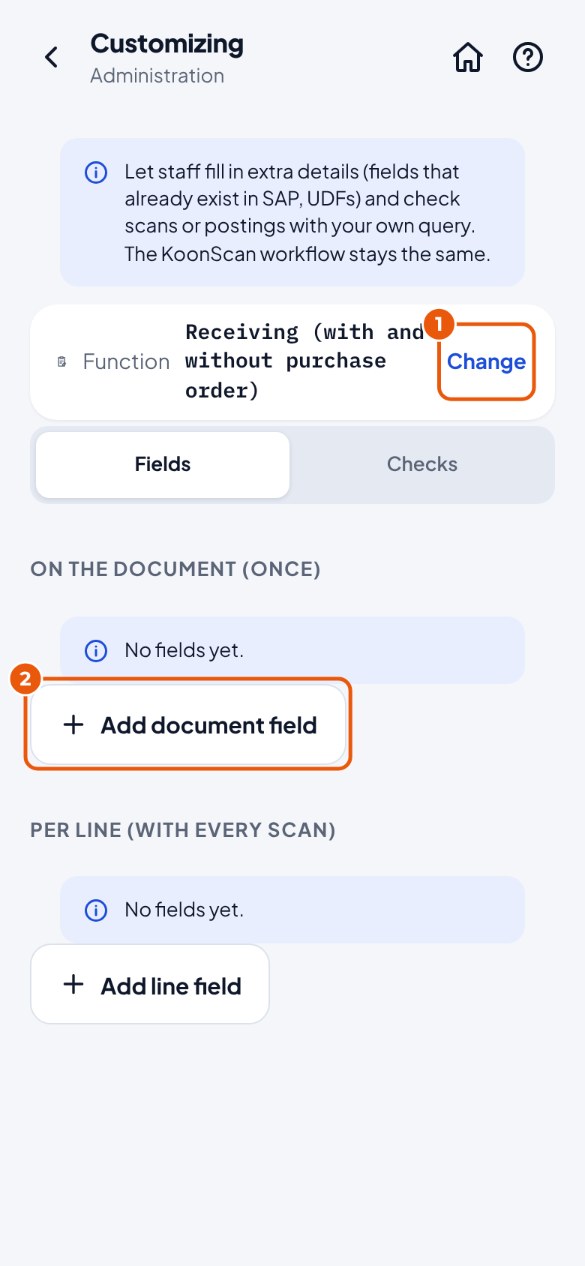
- You see the own fields that SAP has on this document. Tap the field 3. Grey with "not possible in KoonScan"? That is a time or an image; KoonScan cannot have those filled in.
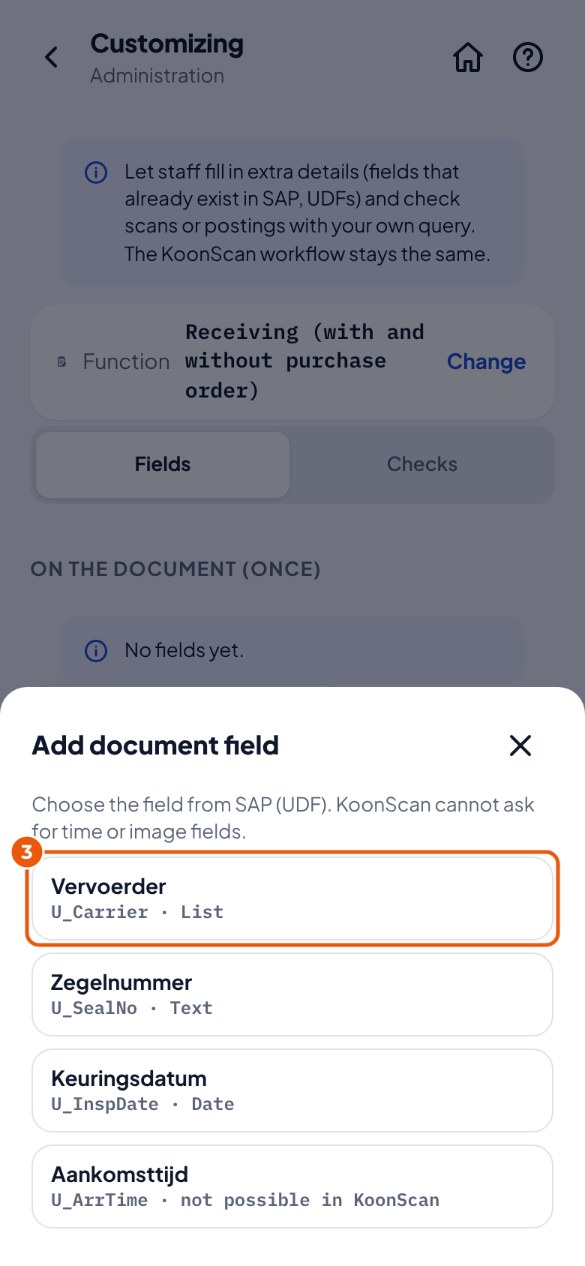
- If you like, change the Label 4: that is what the employee sees. Empty = the description from SAP.
- Does the employee always have to fill it in? Switch on Required 5.
- Tap Save 6.
Making your own check#
For example: an item that is blocked for purchasing in SAP must not be received. A check is a query: if no rows come out, everything is fine; if rows do come out, the check matches.
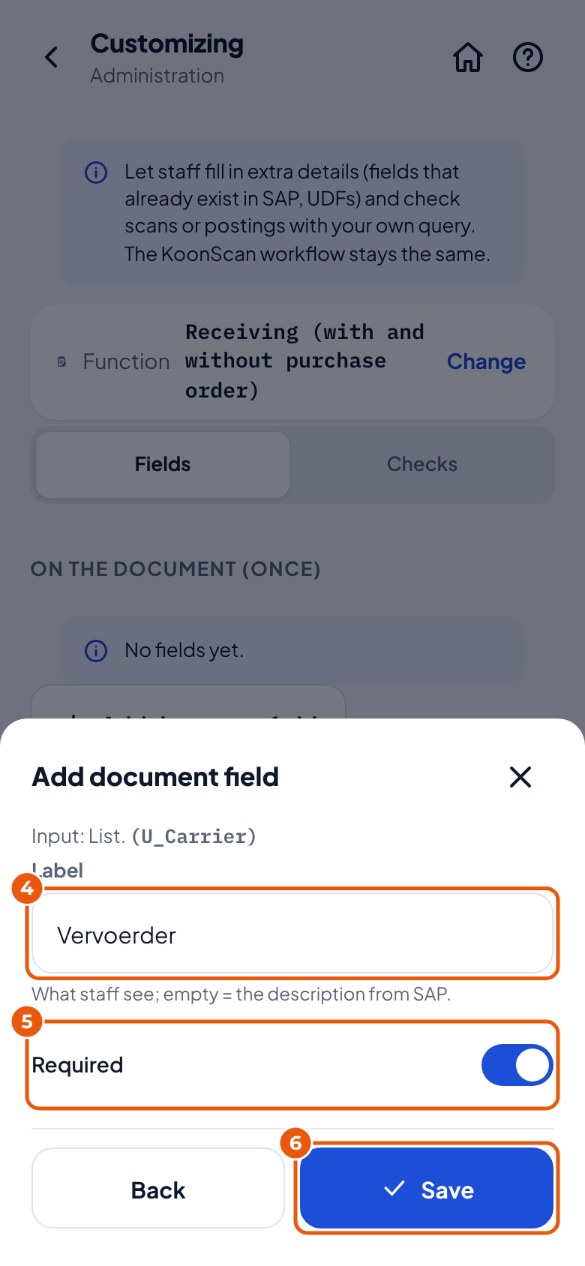
- Administration → Customizing, choose the function, tap Checks and then Add check. Type a Name.
- Choose When 2: on every scan, or when posting (once per document).
- Choose what happens when the check matches 3: Reject, or Ask to confirm (the employee may then still carry on).
- Type the Query (SELECT only) 4, for example
select 'Item is blocked for purchasing' as Message from OITM where ItemCode = :item and frozenFor = 'Y'. - Tap Save (then test) 5.
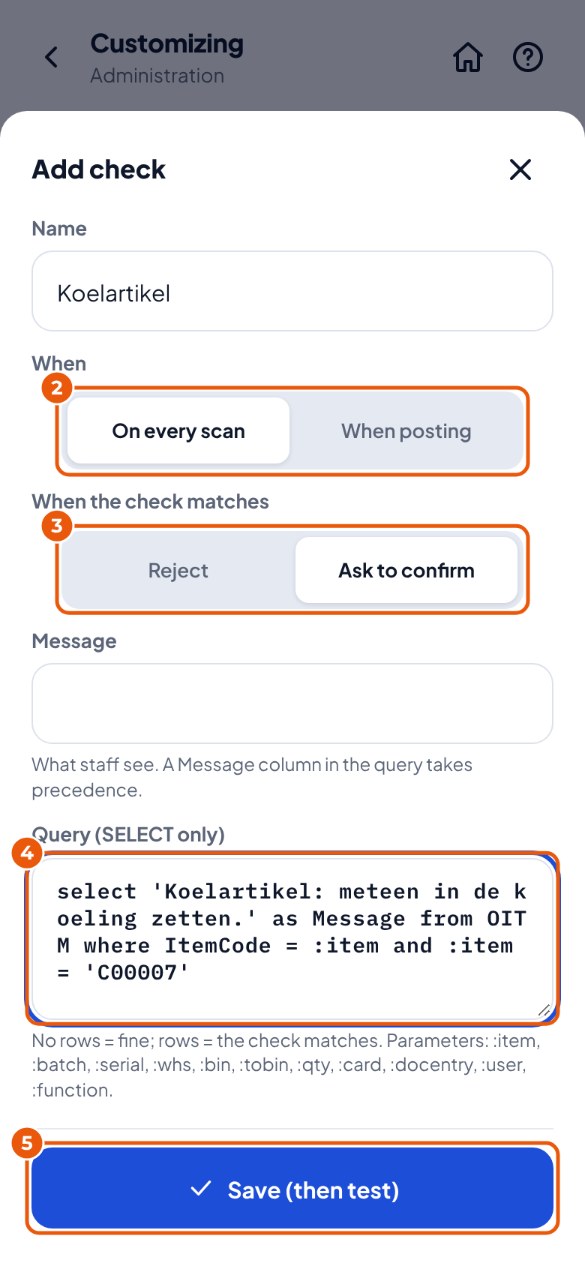
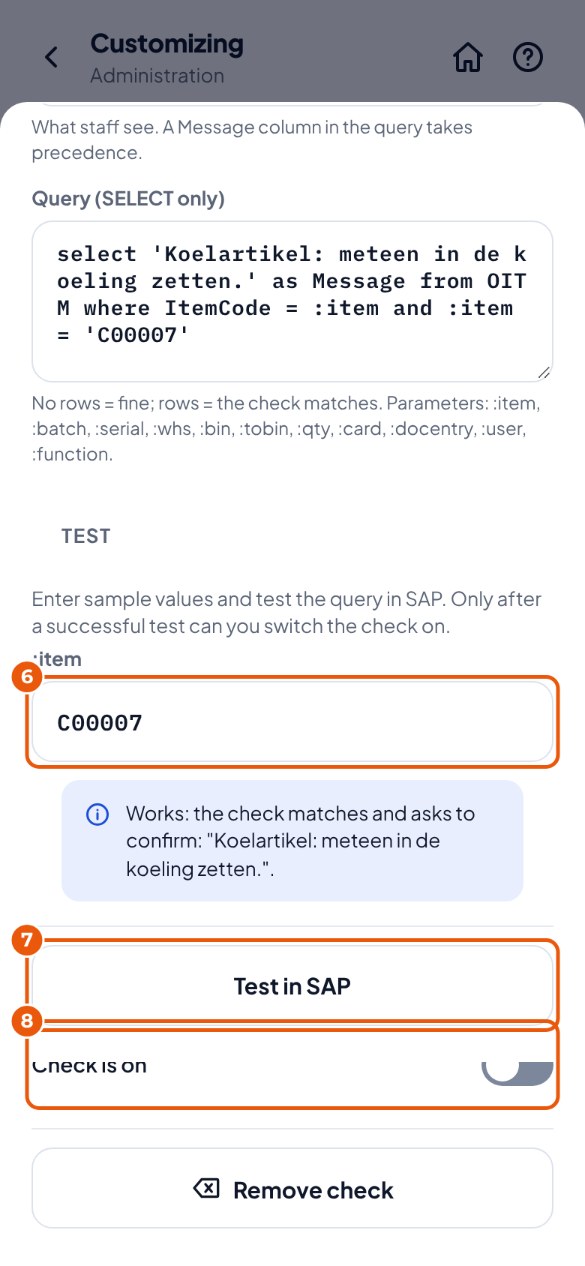
- Enter a sample 6, for example an item code, and tap Test in SAP 7. KoonScan puts the query in SAP and runs it.
- Do you see "Works: …"? Then switch the check on with Check is on 8. Do you see "Not working: …"? Then change the query and test again.
What you can use in a query#
| Parameter | What KoonScan fills in |
|---|---|
| :item | Item code |
| :batch / :serial | Batch or serial number (otherwise empty) |
| :whs / :bin / :tobin | Warehouse, bin location, and when moving the destination bin location |
| :qty | Quantity in the stock unit (a number) |
| :card | Customer or supplier |
| :docentry | The document from SAP being worked on (DocEntry; when picking, the pick list) |
| :user | Employee number in SAP |
| :function | The function, for example receive or pick |
| :U_… | Only when posting: the fields on the document (for example :U_Carrier) |