Manual 3 · Chapter 2
Searching instead of scanning
Do you not know a code, or is a label unreadable? Look it up. A hit you find works exactly as if you had scanned it.
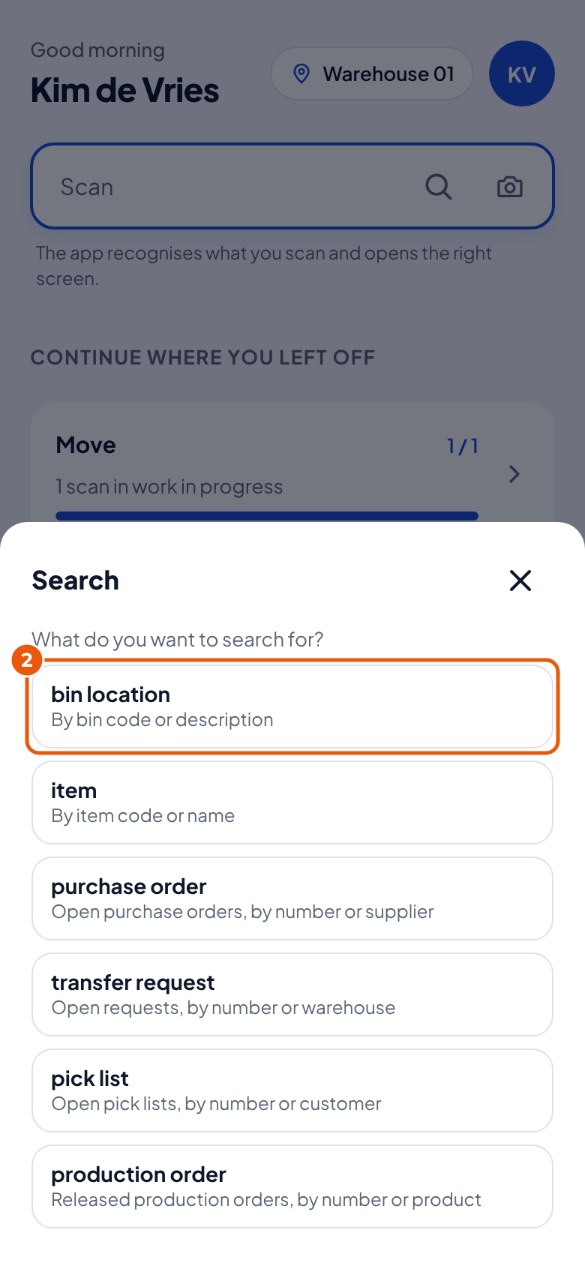
- In the scan field, tap the magnifying glass.
- Choose what you are looking for, for example Bin location 2.
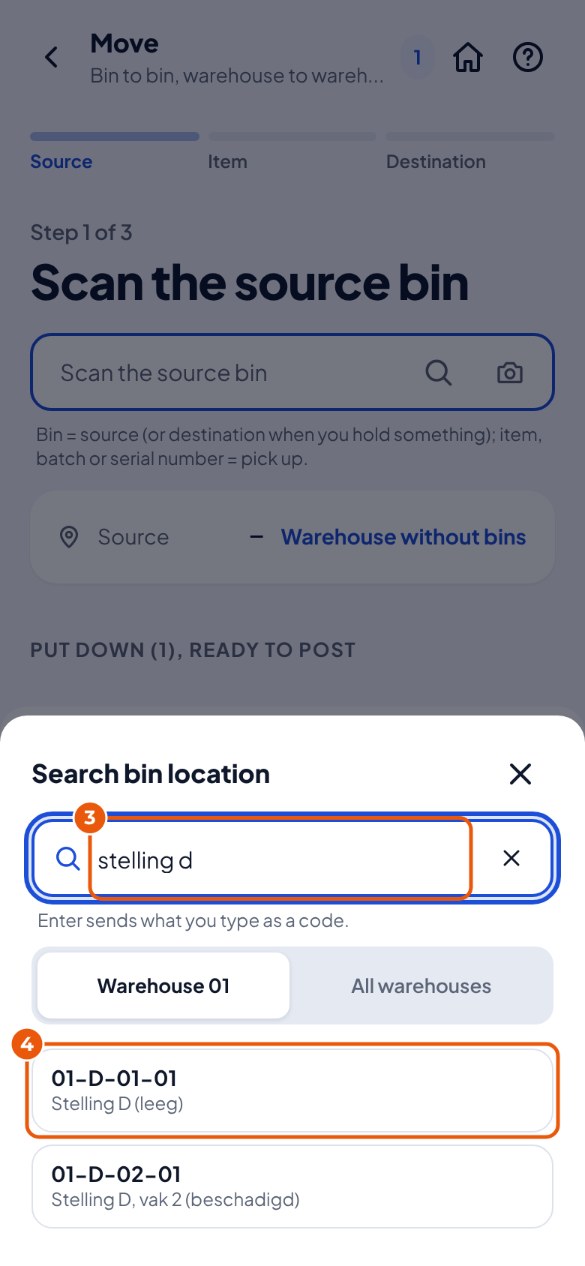
- Type part of the code or the name 3, for example "rack d".
- Tap the right result 4. Is it not there? Keep typing, or tap All warehouses.