Manual 3 · Chapter 15
Putting work aside, carrying on and undoing
The house icon at the top right#
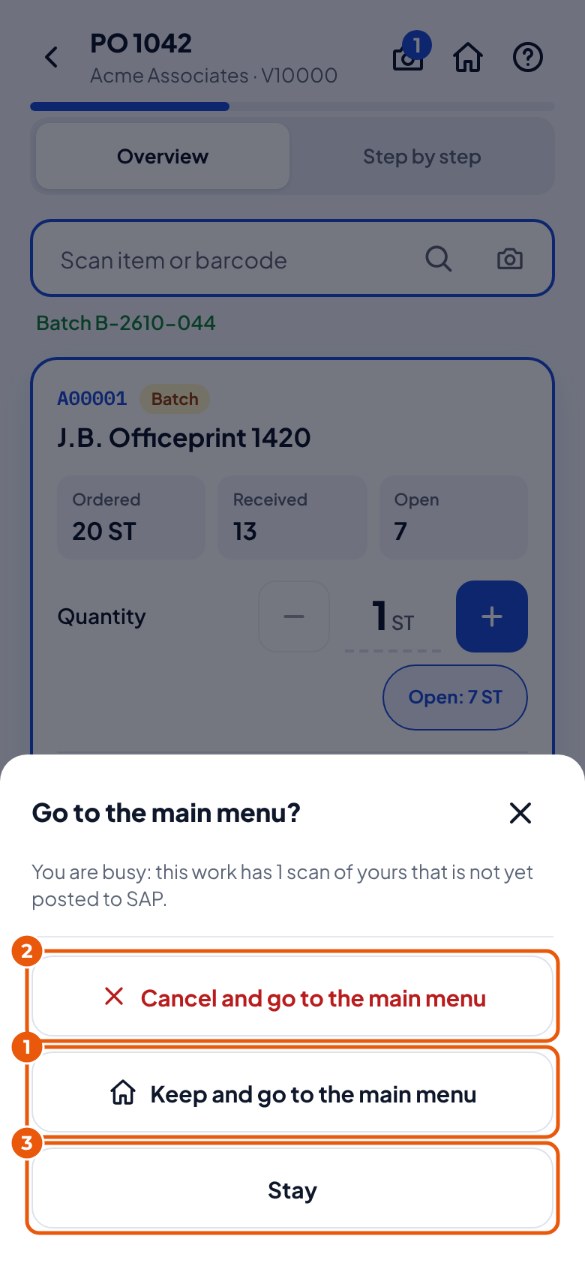
- Tap the house icon at the top right. If you are busy, KoonScan asks what you want. Keep and go to the main menu 1: your work stays; you will find it under "Continue where you left off" on the start screen.
- Cancel and go to the main menu 2: your scans in this work are thrown away (including scans still waiting on the device). Scans from colleagues in the same work stay.
- Stay 3: you simply carry on.