Manual 3 · Chapter 11
Production
Posting a production order#
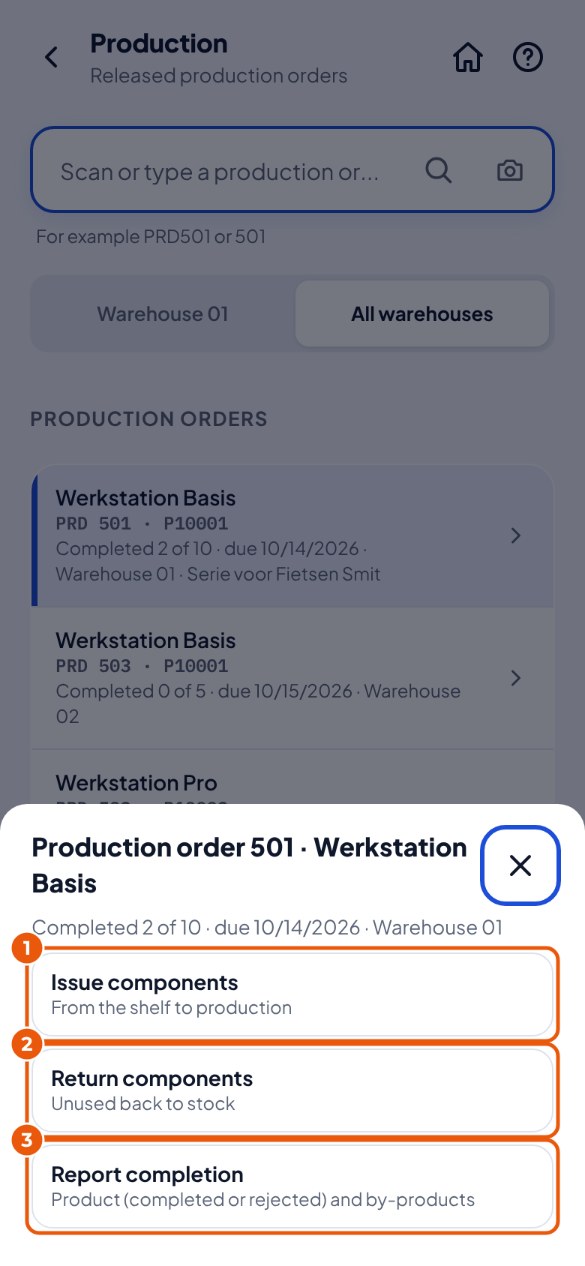
- Tap the Production tile and choose the production order (or scan PRD plus the number). Then choose Issue components 1, Return components 2 or Report completion 3.
- Issue components: scan the bin location you take it from and each component, tap Add and post. Return components works the same way, for what you did not use.
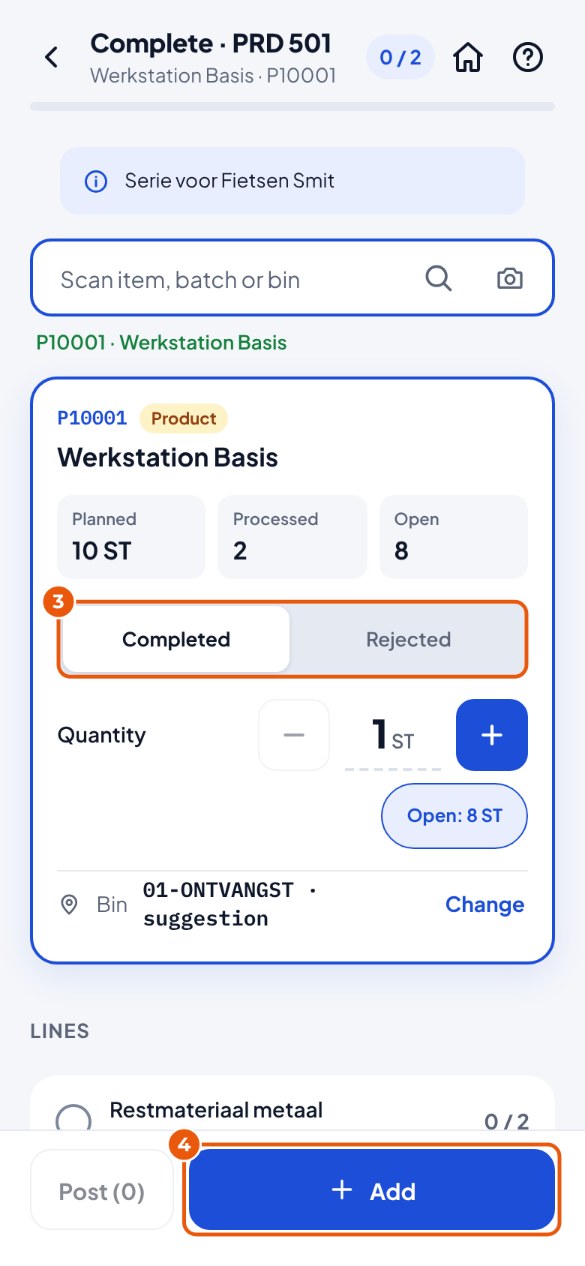
- Report completion: scan the product and choose Completed or Rejected 3.
- Check the bin location (and batch), tap Add 4 and then Post to SAP.
Disassembly: taking something apart#
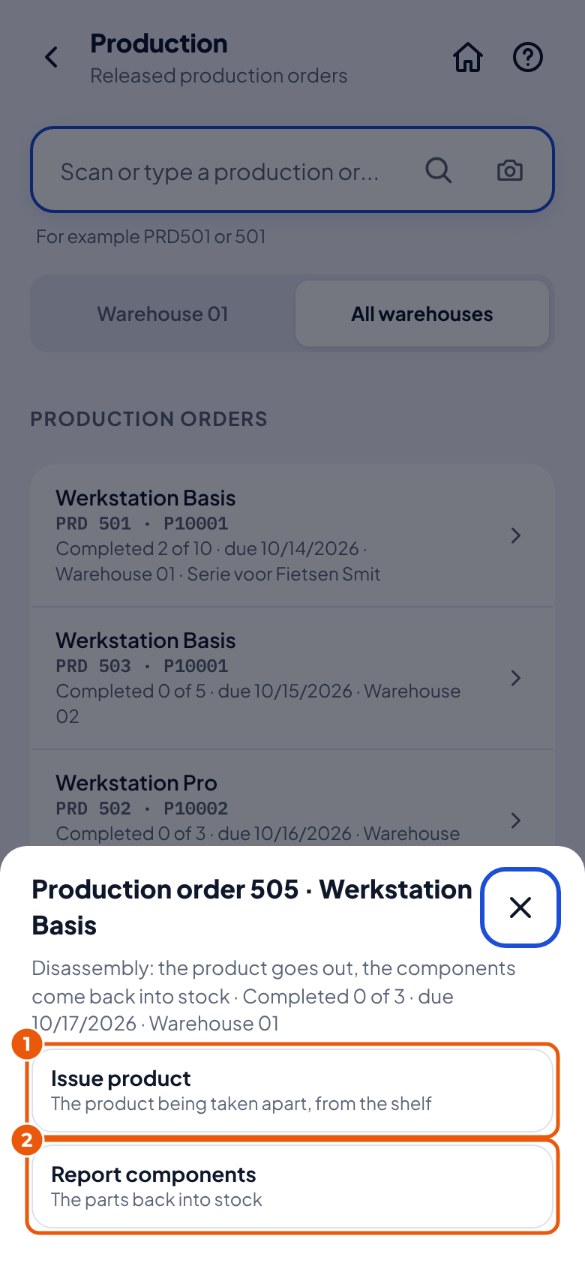
A disassembly order in SAP takes a product apart into its parts (components). The product leaves the stock, the components are added. In the list it says "Disassembly" after the number.
- Choose the disassembly order. Tap Issue product 1 for the product that is taken apart, or Report components 2 for the parts that come back.
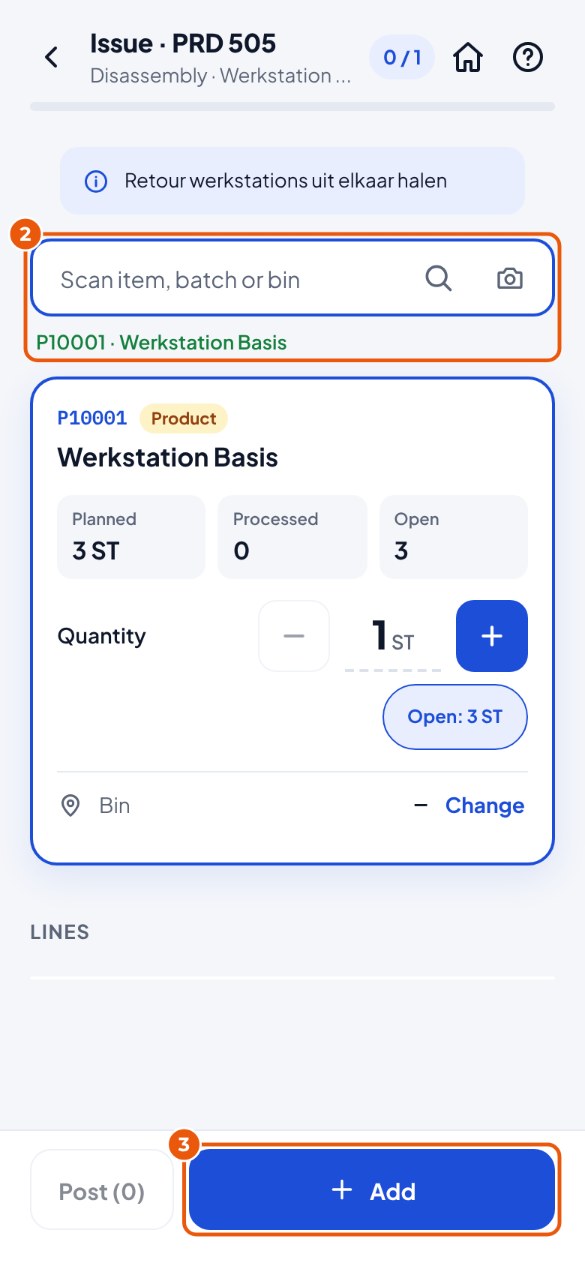
- Issue product: scan the bin location and the product 2, tap Add 3 and post.
- Report components: scan each component (for a batch also the batch), check the bin location, tap Add and post.