Manual 3 · Chapter 7
Printing labels
Applies to KoonScan version 1.1.1Download this manual (PDF)
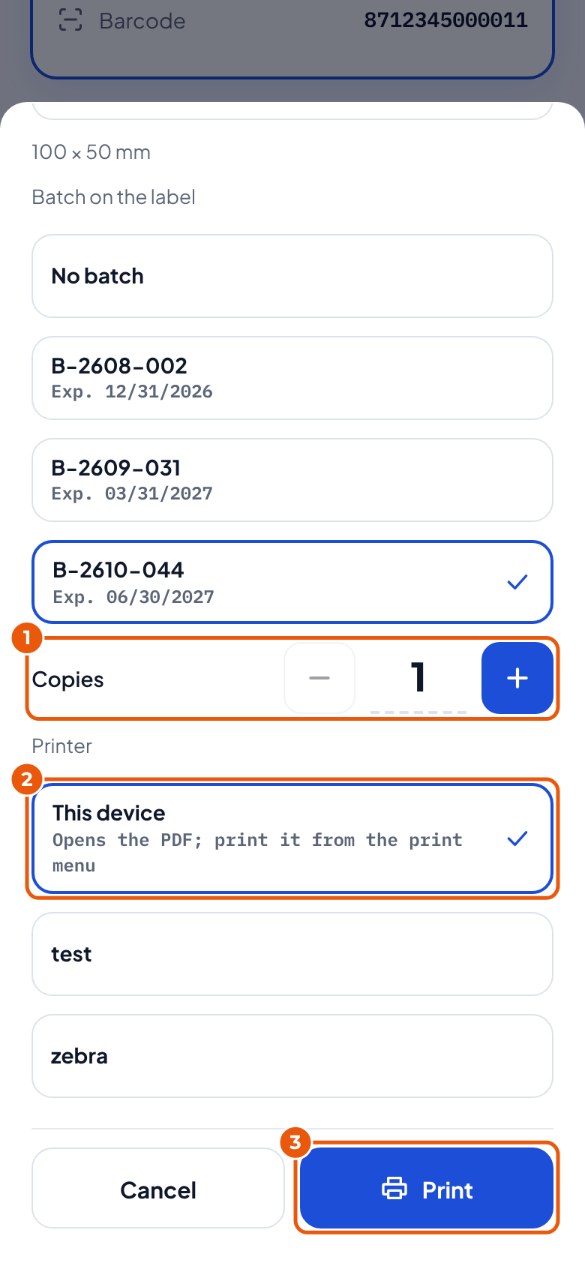
- Open the item (Stock → scan the item), tap Label and choose the batch. Choose the number of Copies 1.
- Choose the Printer 2: This device (the PDF opens; on the handheld scanner the print menu) or a network printer.
- Tap Print 3.