Manual 3 · Chapter 5
Moving
You take something from one bin location and put it on another. KoonScan posts it in SAP as an inventory transfer.
Choosing what to move#
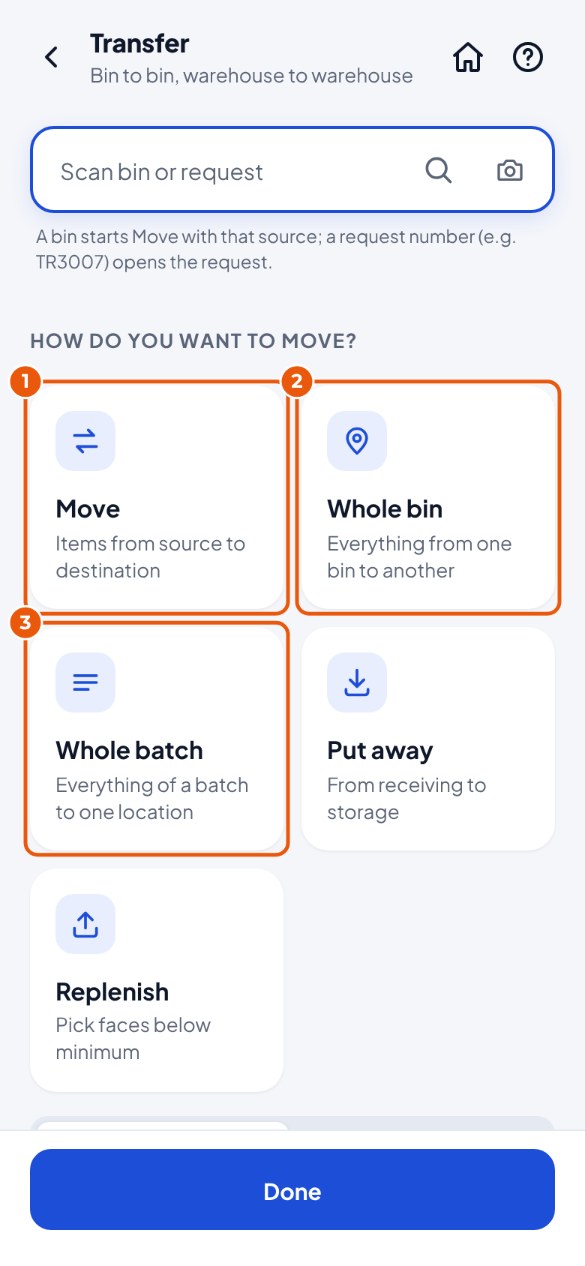
- Tap the Transfer tile and choose Move 1 (loose items). For everything in one bin location, choose Whole bin 2; for everything in one batch, choose Whole batch 3. A transfer request from SAP is further down the list.
Moving loose items#
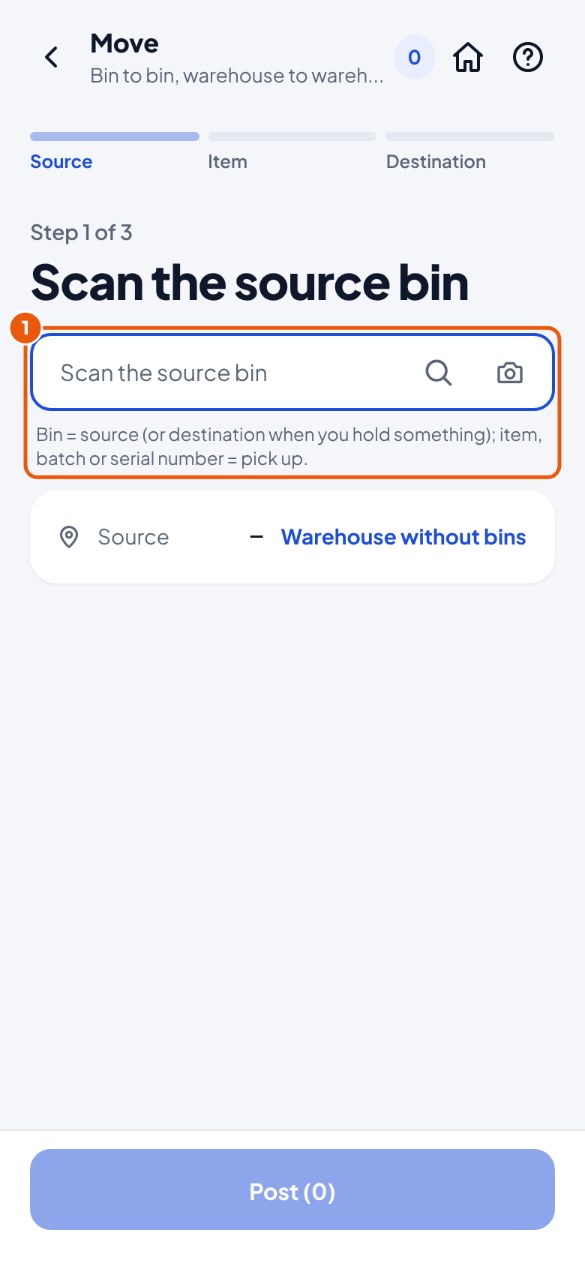
- Scan the bin location you are taking it from (the source) 1.
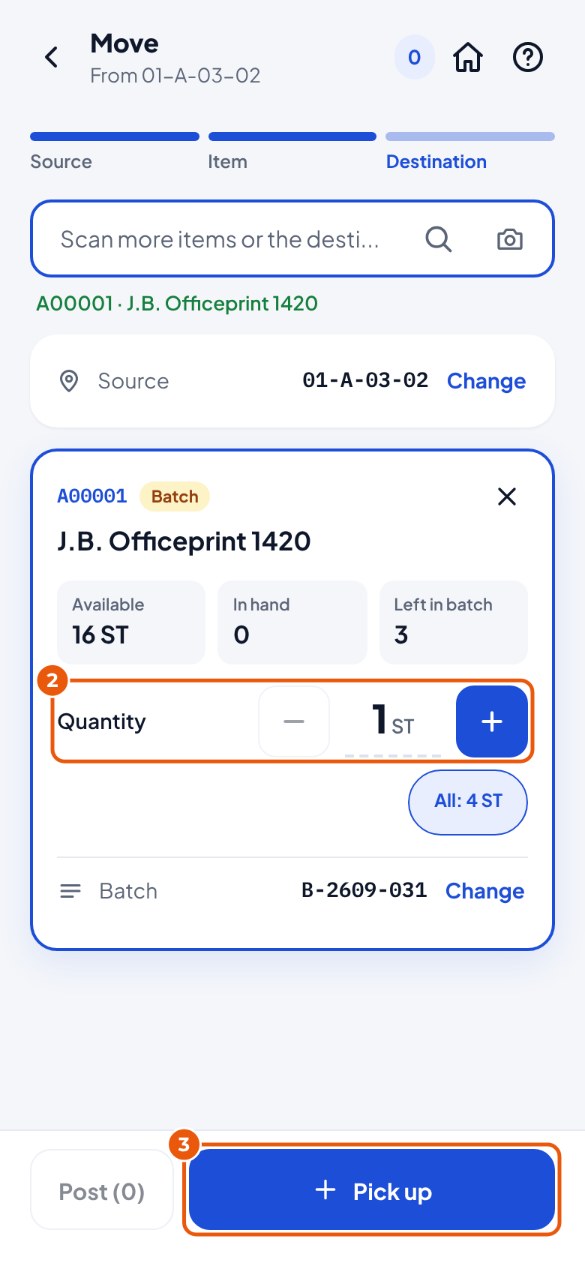
- Scan the item. Is the quantity right? Change it 2.
- At the bottom, tap Pick up 3. It is now "in hand". Want to take more? Scan the next item. Changed your mind? Tap the × at the top right of the card.
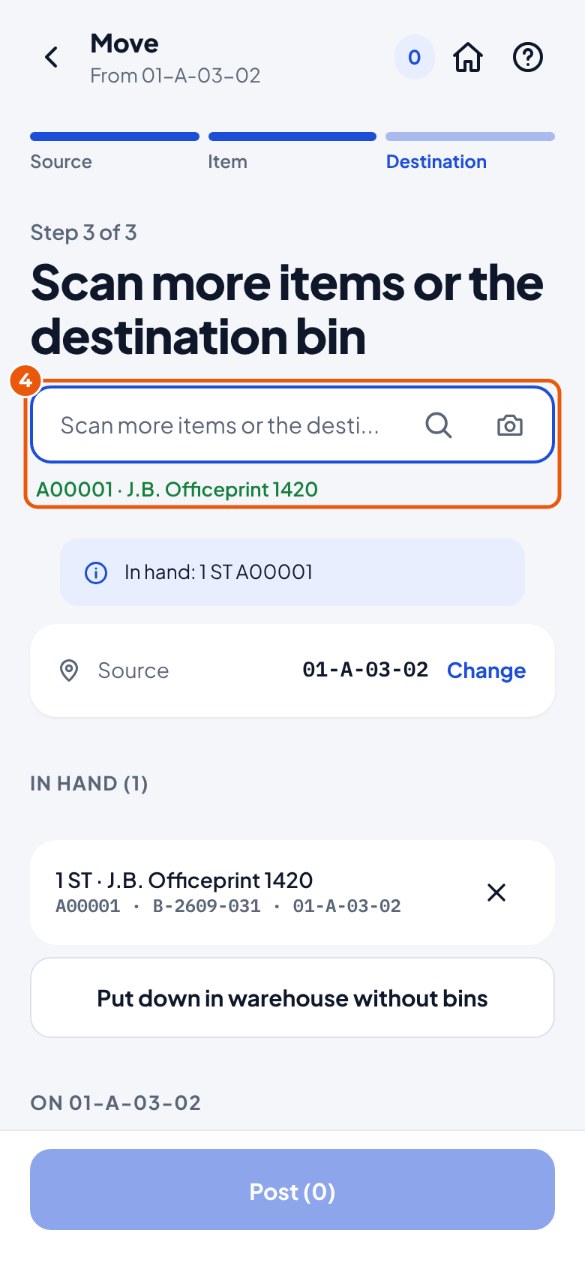
- Walk to the new place and scan the destination bin location 4. Everything in your hand is put down there.
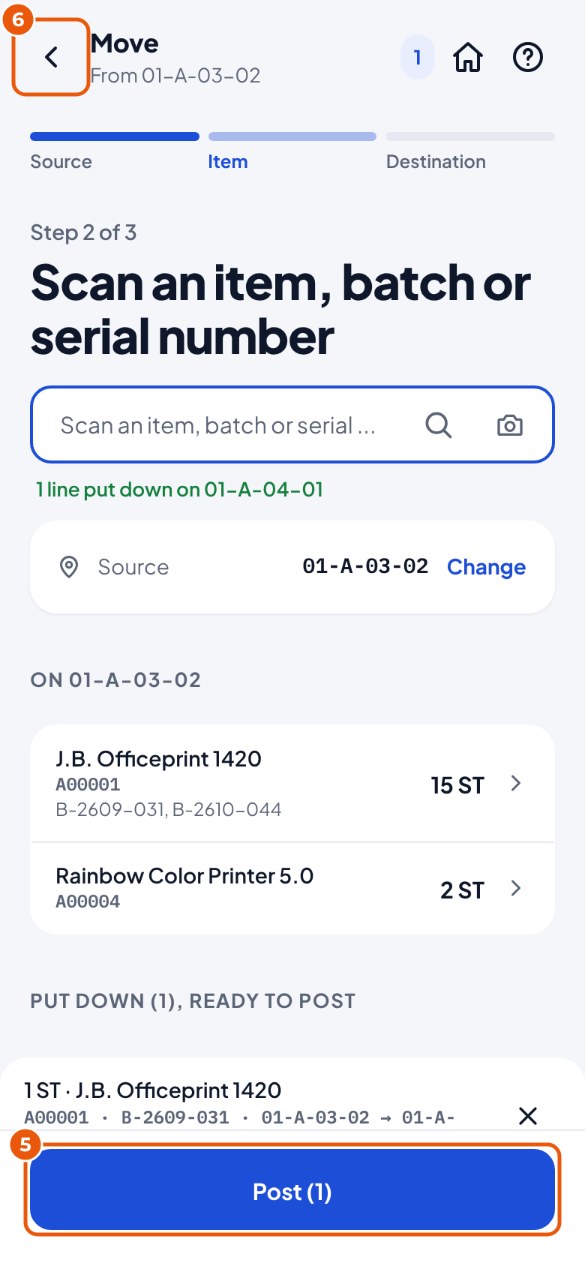
- Tap Post 5 and confirm. Or move more first? Just carry on; with Back at the top left 6 your work is kept.